Nodes Connector (Auto)
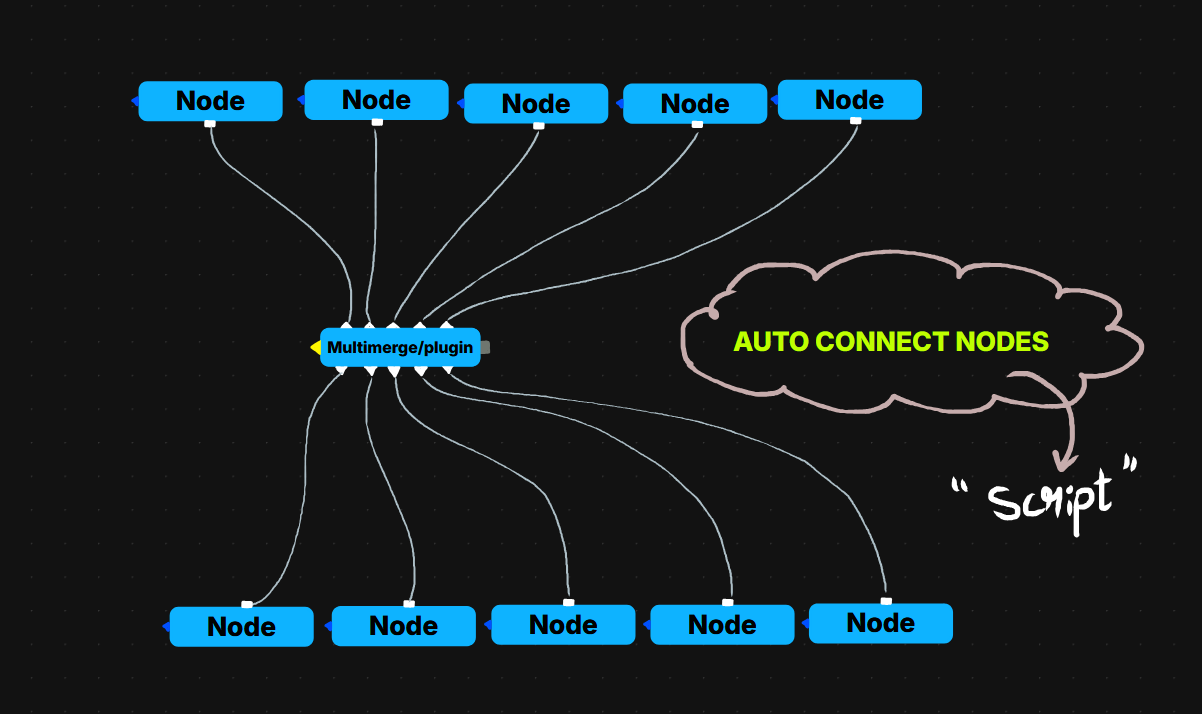
This is a script that can be used on console inside Davinci Resolve. It solves one of my biggest and most frustrating time consuming problem i.e. to connect each nodes one by one to a multimerge/any plugin (like offsetizo).
It can-
1. Connect nodes to any existing multimerge or any plugin that has the available inputs to connect the nodes.
2. If no node is present to accept the nodes, it will create one multimerge node and also connect it automatically to the pipeline before mediaout.
3. If the nodes graph has nothing except the mediaout node, it will add a background node and a multimerge node and connect everything to the pipeline.
How to use it-
• Open Fusion > Workspace > Console
• Select the nodes u want to connect
• Copy and Paste the script to the console, press enter.
It will connect every node automatically.
How to install
Put the script in your DaVinci Resolve Scripts folder, then restart Resolve.
- Windows
%ProgramData%\Blackmagic Design\DaVinci Resolve\Fusion\Scripts- macOS
/Library/Application Support/Blackmagic Design/DaVinci Resolve/Fusion/Scripts- Linux
/opt/resolve/Fusion/Scripts/